Understanding Mylio’s Connection to Your Devices
Mylio offers two ways of connection between the software and your devices.
Connection 1: Your Device Only Sees Photos
You will see the images in your Mylio photo library using the app on that device. This connection is commonly set up on a computer.
Connection 2: Your Device Both Sees AND Adds Photos
You will both see the images in your Mylio photo library using the app on that device, AND images from that device are added to your Mylio photo library. This connection is commonly set up on a phone.
All devices with the Mylio app installed and logged into your account will have Connection 1 - the ability to see the images that are in your Mylio photo library
You can choose which devices have Connection 2 - the ability to see images AND add images from that device to the Mylio photo library
You can change these settings at anytime.
Below is an example of how your Mylio photo library and devices may be set up. You will see in the example that all of the devices can see images in the photo library, but only the phone and tablet are adding new photos to the library.
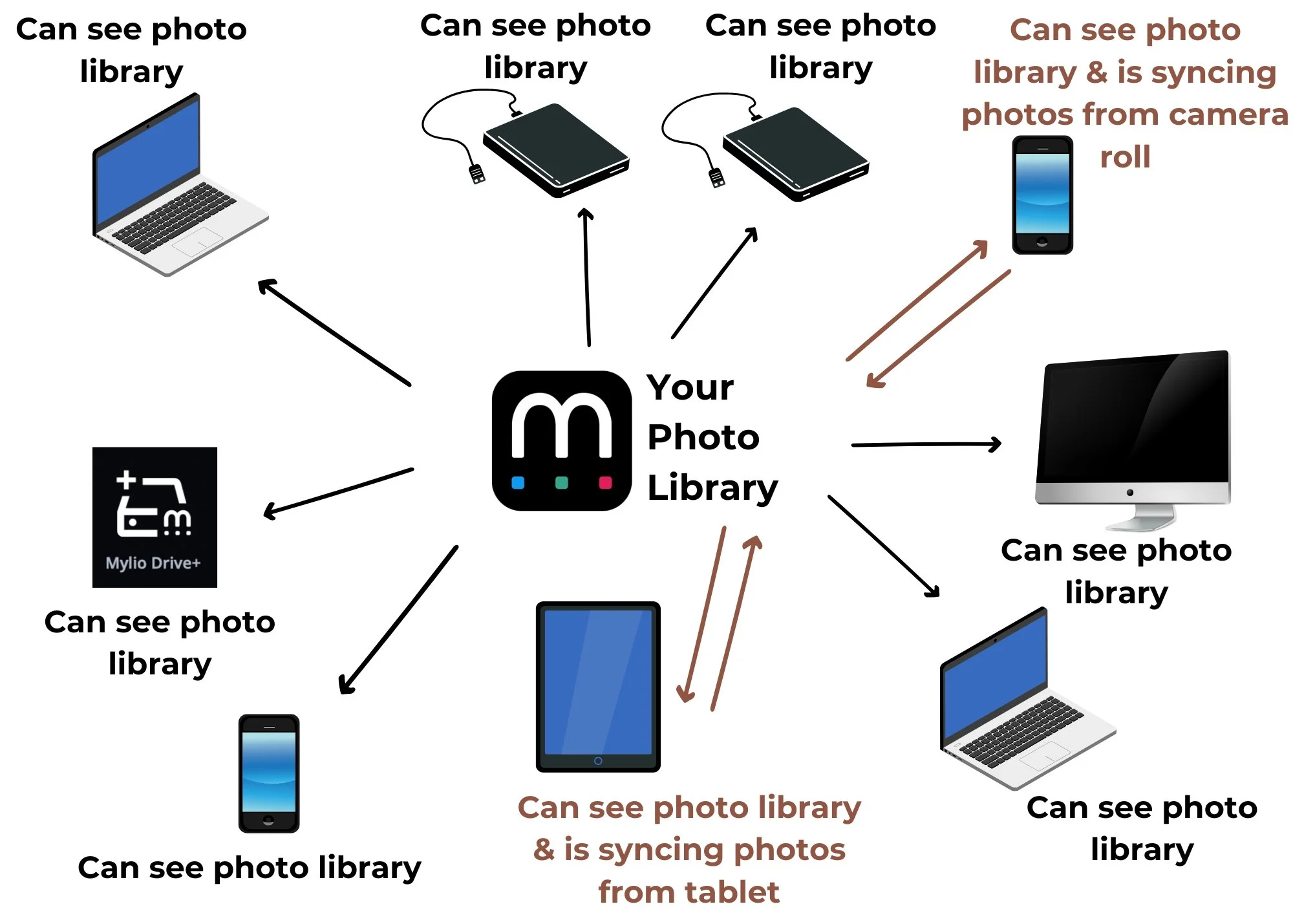
Mylio acts as a conduit between your devices. This means that any changes you make in Mylio on one device, will be applied to Mylio on all of your devices. Every device connected to your Mylio syncs with one another.
This allows you to access your full photo library on any device you have connected to your Mylio account and is fully in sync. This also means you can share your login with other friends or family members and they can login on their own devices and see your photos. If you only want them to see some of your photos instead of your entire photo library, you will need to subscribe to Mylio’s family plan.