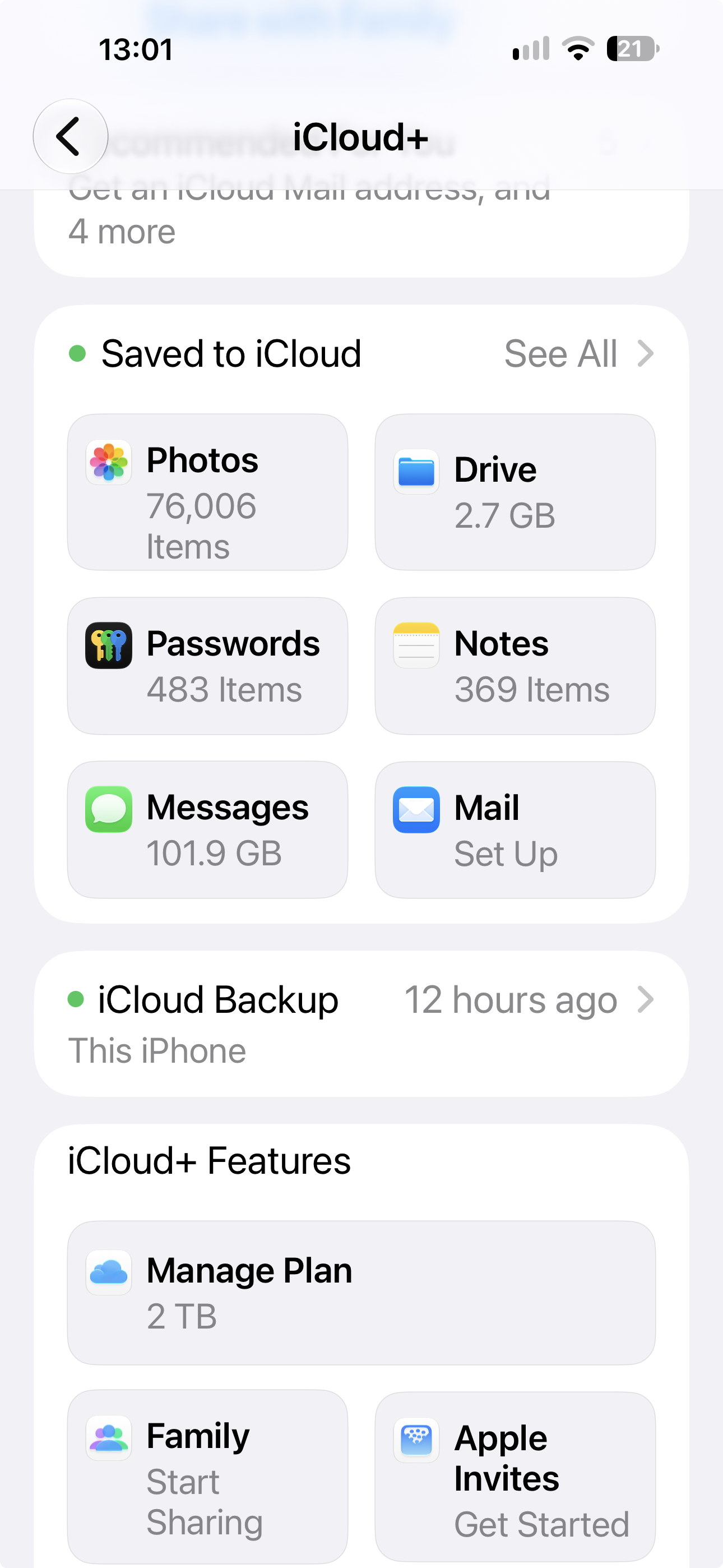
At Signature Photo Organizing, we want to help as many people as we can. And we often to talk to clients who do not have their photos on their iPhones backing up to iCloud. Yikes. We want to help. So we made a quick little post that we can refer people to so they can make sure they get those photos backed up before that phone gets lost, falls in a lake or whatever. These photos are your legacy. Make sure there are copies of them for your family. It is very easy to do this. So watch below. We have got you covered! Note: Apple gives you free 5 GB of storage. You will most likely have to purchase ICloud + storage. As of writing this, it comes in 50GB, 200 GB, 2TB, 6TB or 12TB.
Here is a step by step guide on How to Upgrade your iCloud Account to make sure your photos are backed up. Again, please note, to make sure your photos are safe, you need to have adequate storage on iCloud which you will most likely have to purchase.
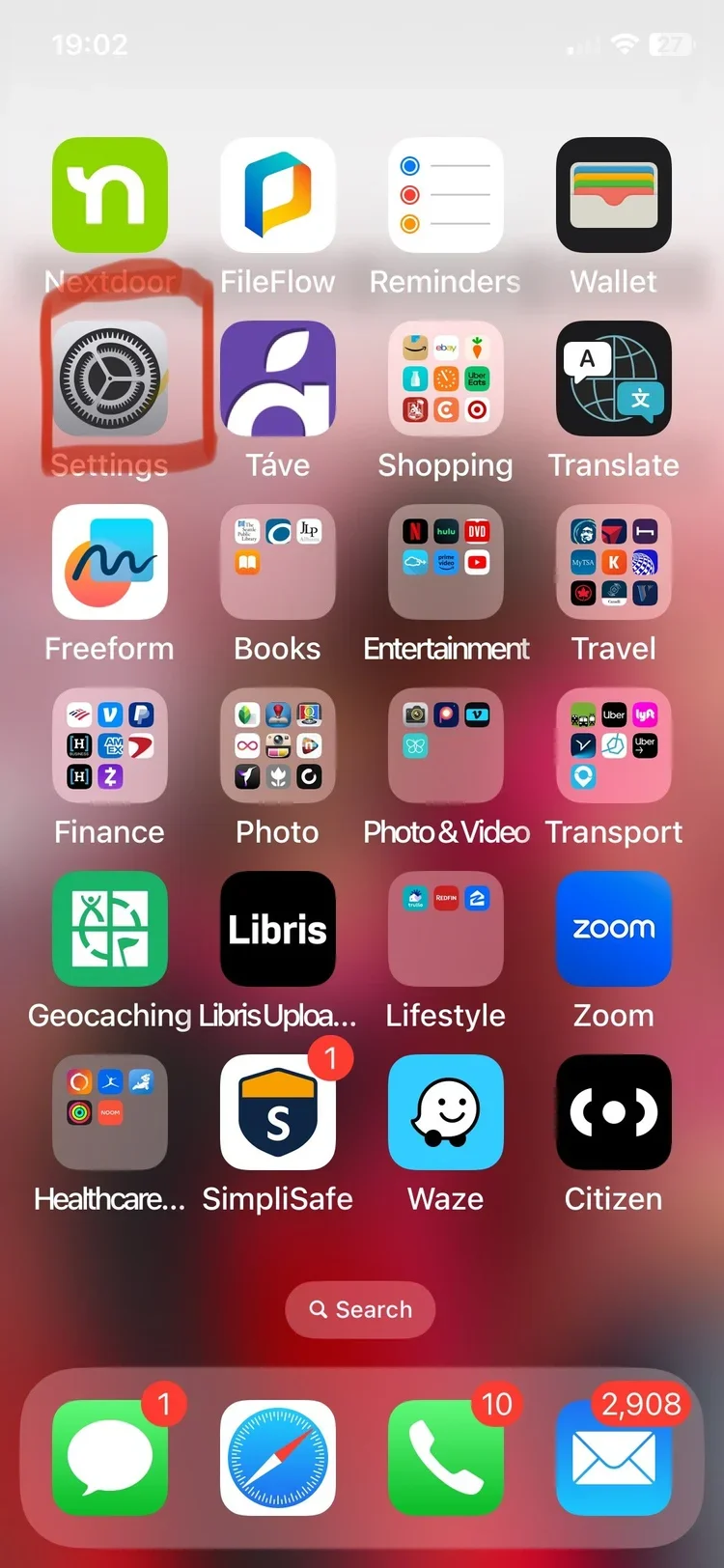
Step One Go to Settings on your iPhone.
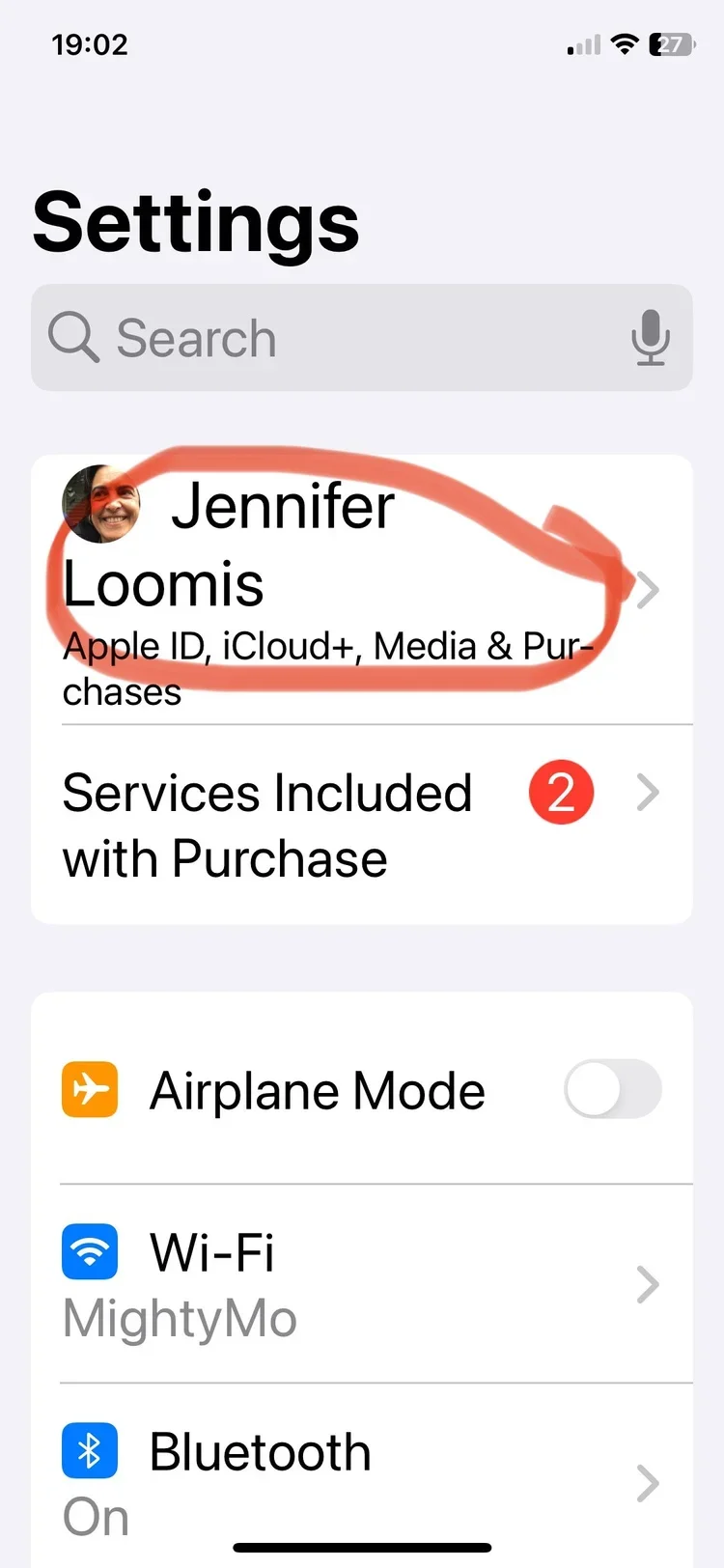
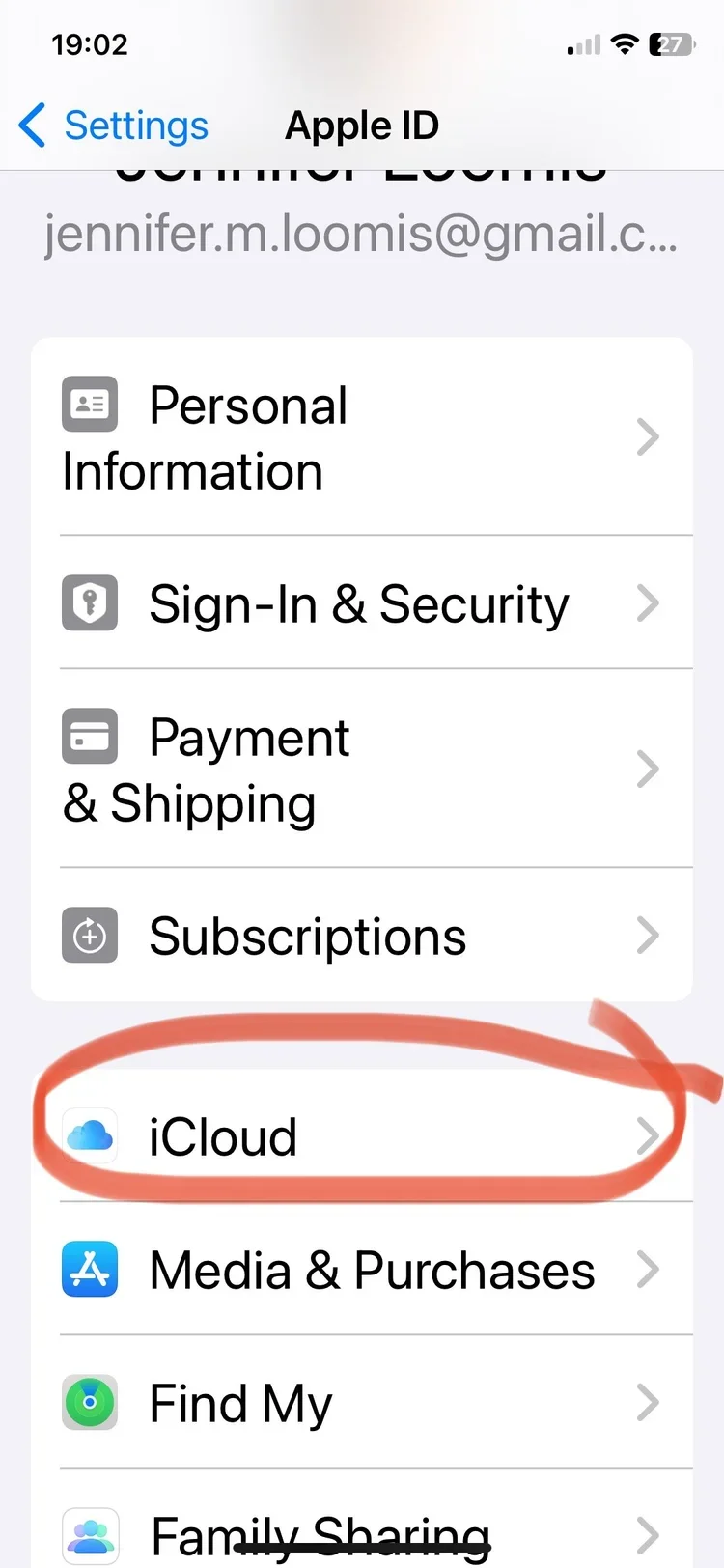
Step Two - Click on your name and then where it says iCloud.
Step Three - Check that you have enough storage. Below you can see I have 534.5GB of photos out of 2TB of storage.
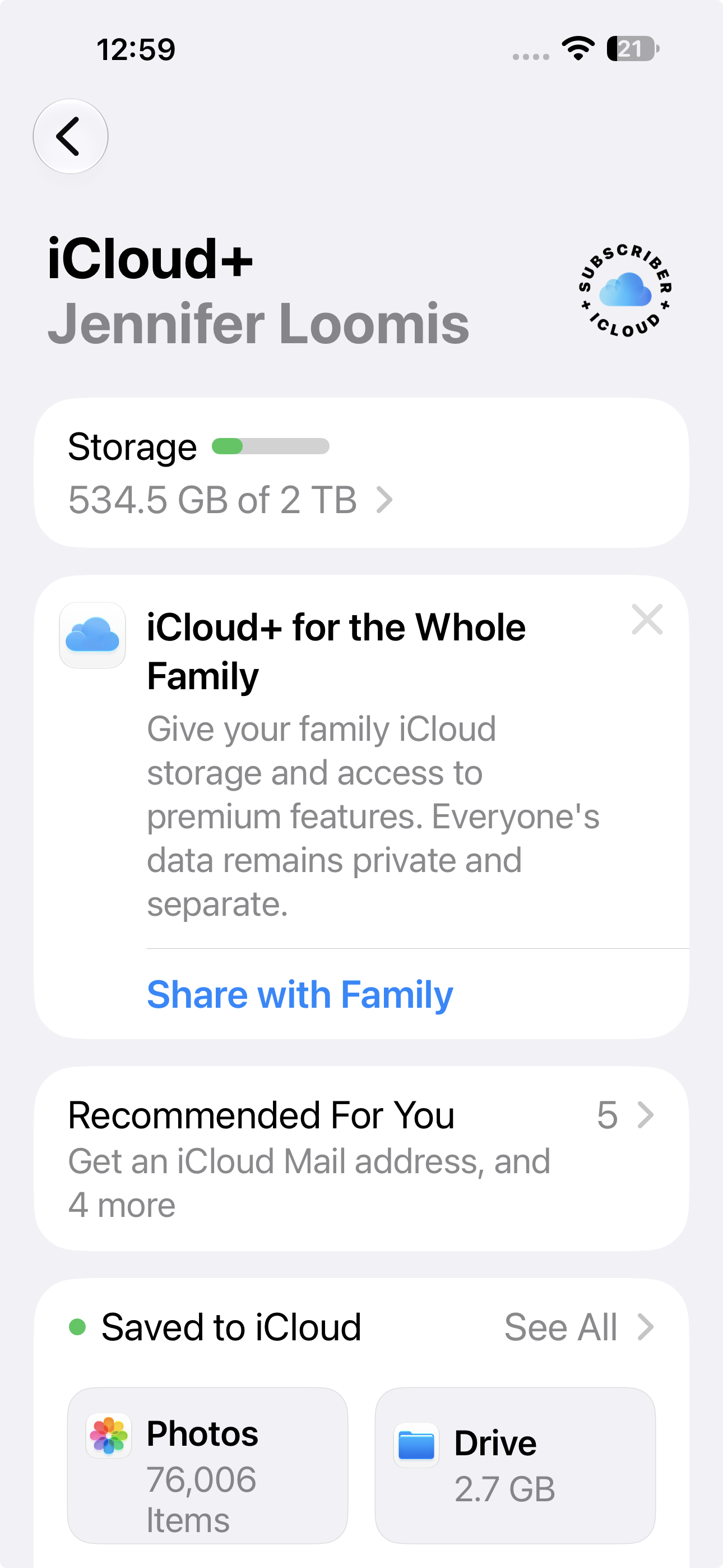
Step Four - Make sure your photos is listed as being backed up.